Skip to content

동네 필라테스 — 필라테스 수업 예약 앱

여러 스튜디오의 리포머 잔여석을 보고 이용권으로 예약하는 앱 + 스튜디오 운영자 관리자
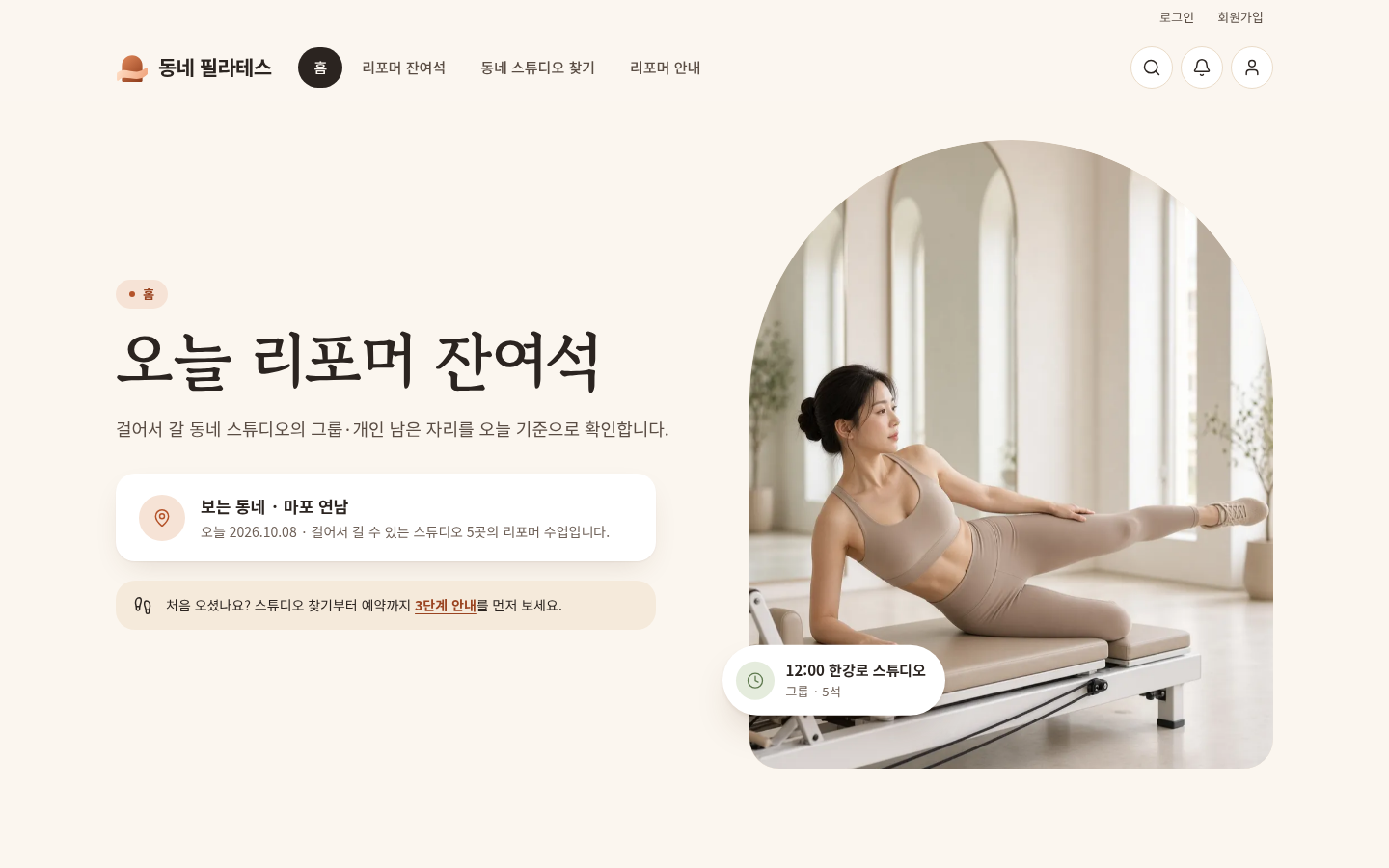
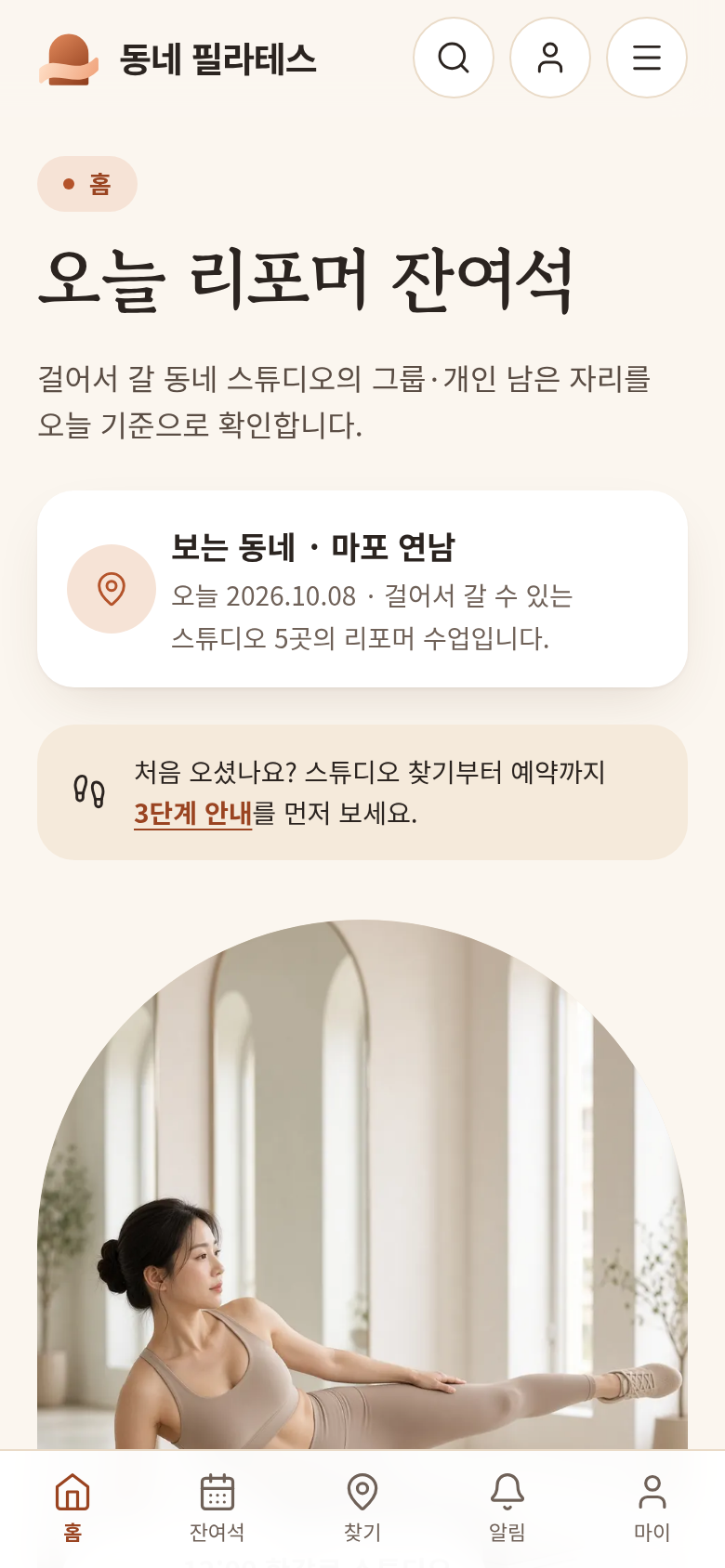
동네 필라테스 — 필라테스 수업 예약 앱 image 1

Live demo

This is the real site running. Click around, and check the admin screens too.

Customer screens

At a glance

What is actually in this source, and how you receive it.

Key features
4items
What you connect
4items

What's inside

  • Customer screensFull responsive screens for PC and mobile
  • Admin screensAn admin page for inquiries and content
  • Database fileAn SQL file that creates the tables
  • Setup notesThe order for uploading to hosting and configuring it
  • Source fileOne compressed file with everything above ZIP791 KB
  • Tech stackPHP · MySQL

How you get it

  1. Buy and downloadAfter payment, download the source ZIP from My purchases. You can download it again anytime.
  2. Upload to hostingUpload the files to web hosting that runs PHP and MySQL, and create the database.
  3. ConnectAdd only the service keys listed under What you connect, using your own accounts.

What's included

Screens, admin, and the database are already built. Do only What you connect below, and it opens as your service.

  • Customer screensFull responsive screens for PC and mobile
  • Admin screensAn admin page for inquiries and content
  • Database fileAn SQL file that creates the tables
  • Setup notesThe order for uploading to hosting and configuring it
Tech stack
PHP · MySQL
Category
Other
Key features
  • 오늘 리포머 잔여석·예약
  • 이용권 차감·취소 복원
  • 운영자 수업·출석·이용권 관리
  • 스튜디오별 운영 권한

What you connect

To open this source as your service, connect only the items below with your own accounts. The setup notes have the order.

  • Social login — Keys from Kakao, Naver, or Google after you create an app in their developer console (the demo uses a sample login for now)
  • Text and Kakao alerts — A messaging account, a sender number and Kakao profile, and an approved template (the demo only keeps a record for now)
  • Email — An email account (SMTP) for signup confirmations and password resets
  • Domain and HTTPS — Connect your domain and a security certificate (set this up in hosting such as Cafe24)
Ask an expert to connect it

If connecting and launching feel hard, or you want extras the source does not include, such as Kakao login or payments, you can hand that over too. The source you bought is attached to the request.

회원은 가입·로그인 후 오늘 리포머 잔여석과 시간표를 보고 바로 예약해요.
이용권(횟수권·기간권)이 예약할 때 차감되고, 취소 마감 전에 취소하면 다시 복원돼요. 수업 리마인드와 마이페이지도 들어 있어요.
운영자는 수업·강사·회원·이용권·예약·출석을 한곳에서 관리하고, 스튜디오별로 운영 권한을 나눠 줄 수 있어요. 대시보드로 현황을 한눈에 봐요.
여러 명이 동시에 예약해도 정원이 넘치지 않게 막아 둬요.
화면 73개, PHP 8 + MySQL로 만들어 카페24에 바로 올릴 수 있어요.
플랜디 기획 키트로 만든 사이트예요.

Setup and license

  1. Buy and downloadAfter payment, download the source ZIP from My purchases. You can download it again anytime.
  2. Upload to hostingUpload the files to web hosting that runs PHP and MySQL (for example Cafe24), and create the database. The setup notes have the order.
  3. ConnectSign up for the services you need, such as social login, payments, and Kakao alerts, and put the keys you receive into the settings file.
  4. Make it your brandChange the text and images in the admin screens and connect your domain, and you can open it.

License and refunds

One purchase covers one site. You cannot resell the source as-is or share it. This is a digital download, so refunds may be limited after you receive it. Check the rules on the refund policy.

If setup and connecting feel hard, an expert can finish it for you.

Contact

You need a Planning Pass to start a new plan

1 Planning Pass = a new plan (IA included) + 20 screens

Sign up and get a trial project

Sign up and you get one trial project: IA and up to 5 screens. A Planning Pass opens 20 screens and file downloads.

Sign up free

See Planning Pass pricing